Any get-together. One link does the rest.
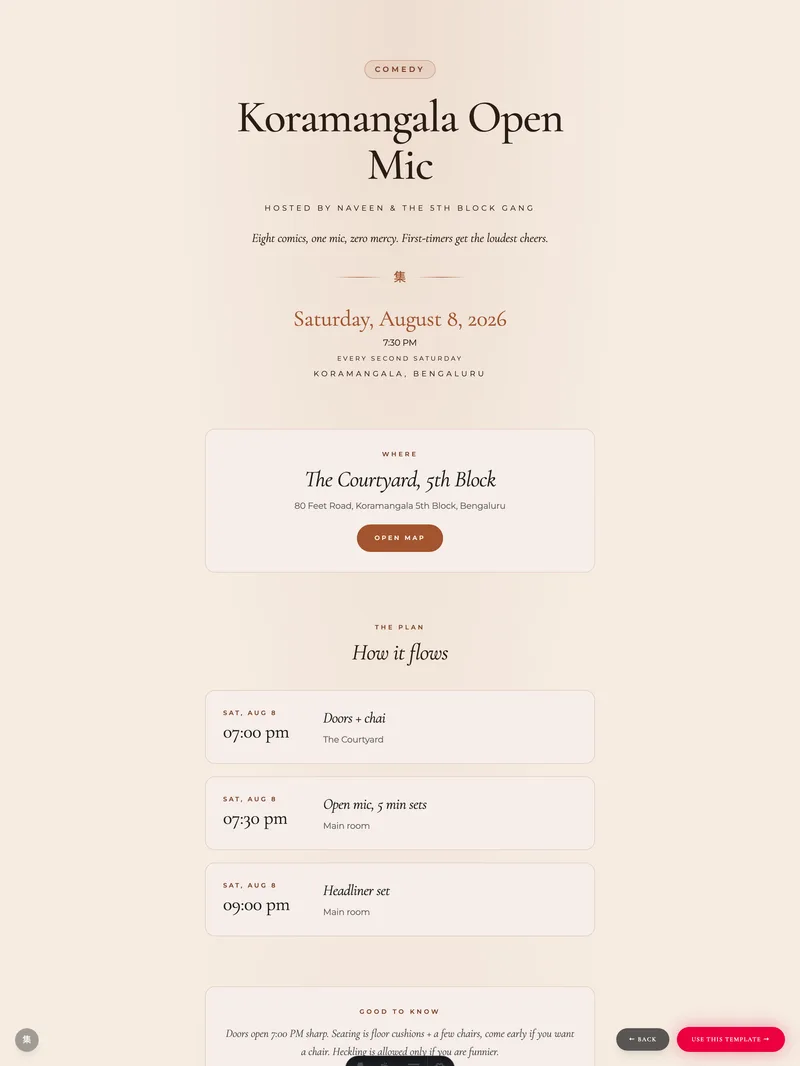
A bold poster page that adapts to what you are hosting: comedy night, study circle, house party, jam session. Capacity and waitlist handle the numbers, the door tool checks people in, and tickets go straight to your UPI.
Why host it here
The boring parts, handled.
One link, zero friction
Drop the link in your group chat. Guests open it in any browser, reply with their name, and they are in. No app to install, no account to create, nothing to download.
Capacity and waitlist
Set how many fit. First come, first confirmed; the rest join a waitlist. When someone frees a seat, the next person is confirmed automatically and gets an email that a spot opened up. The group link reveals only to confirmed guests.
A door that works on venue wifi
Check-in mode gives you one tappable list of everyone expected. Taps queue up when the signal drops and sync when it returns. Walk-ins get added on the spot, and the arrived count updates live.
Tickets straight to your UPI
Set a price and your UPI ID. Guests who say yes get a pay button that opens their UPI app with the amount filled in, and the money goes directly to you. No platform fee; ticketing is part of the paid plans.
Ways people use it
If people are showing up, it fits.
Comedy nights
Cap the room, waitlist the rest, charge at the door or ahead.
Open mics and jams
One link in the group chat; the poster sets the mood.
Study circles
Small capacity, recurring crowd, see who actually shows up.
House parties
Reveal the address only to people who said yes.
Community meetups
Updates reach everyone without reposting in five chats.
Workshops
Ticket over UPI, check people in as they arrive.
Three steps from idea to full room
Minutes to set up. Yours to run.
Make the poster
Pick the kind of gathering and the poster adapts its mood. Add the when and where, set a capacity if the room has one, and a ticket price if there is one.
Share the link
One URL in the group chat, on a story, on the notice board. Replies land in your dashboard as they come; the waitlist forms itself when the room fills.
Run the door
Open check-in mode on your phone at the venue. Tap people in as they arrive, add walk-ins, see who paid, and watch the arrived count climb.
Common questions
Before you start.
Do guests need an app or an account? +
Is there a fee on tickets? +
What happens when someone cancels? +
Can friends help me manage it? +
How do I update everyone after I share the link? +
Got a different question? Send us a note.
Your next gathering, one link from full.
Make the poster, share the link, run the door. The first invitation is free.